

Плагин ZANDZ - профессиональный инструмент для проектирования молниезащиты и заземления в Revit
Для кого создан плагин ZANDZ?
Продуманное решение для инженеров-проектировщиков, BIM-специалистов, компаний-интеграторов и проектных организаций, работающих в Autodesk Revit.

Автоматизация

Скорость

Точность
Почему выбирают этот плагин?
Полная интеграция с Revit 2022–2025
Поддержка плагином самых современных систем проектирования Revit позволяет упростить развертывание и поддержку дополнения.
Полное соответствие модели требованиям СП 333.1325800.2020
Результат работы плагина готов к передаче в ГГЭ и другие экспертизы. Минимизация количества коллизий и улучшенная координация с другими разделами проекта.
Автоматизация и проверка размещения элементов системы
Плагин автоматически устанавливает держатели, подходящие соединители, компенсаторы для соответствующего типа проводника. Выявляет и исправляет типовые ошибки размещения оборудования на плоскостях модели.
Гибкая персонализация
Возможность настройки глобальных параметров проекта, креплений и компенсаторов для разных типов проводников.
Ускорение расчётов заземления
Встроенные инструменты используют размещённое на модели оборудование для расчёта сопротивления модульного и электролитического заземления по действующим методикам. Даже для двухслойного грунта!
Автоматическое формирование спецификаций
Все элементы молниезащиты и расход материалов рассчитываются и специфицируются автоматически.
Как работает плагин?
Установка и настройка
Установите плагин и настройте СВОЙ проект одной кнопкой. Все семейства и необходимые параметры подключаются автоматически. Настройки по умолчанию подойдут для большинства задач.
Моделирование системы молниезащиты
Добавьте проводники, заземлители и компоненты с помощью удобных инструментов на панели на свою BIM-модель. Корректируйте, дорабатывайте, изменяйте систему молниезащиты и заземления как Вам угодно.
Автоматические расчёты
Выполните расчёты сопротивления и расхода материалов прямо в проекте. Все результаты перенесутся в рабочие листы и спецификации.
Экспорт готовых спецификаций
Получите ведомости и спецификации в актуальном виде за пару кликов.
Возможности плагина — наглядно
Оцените удобство интерфейса и автоматизацию рутинных задач.
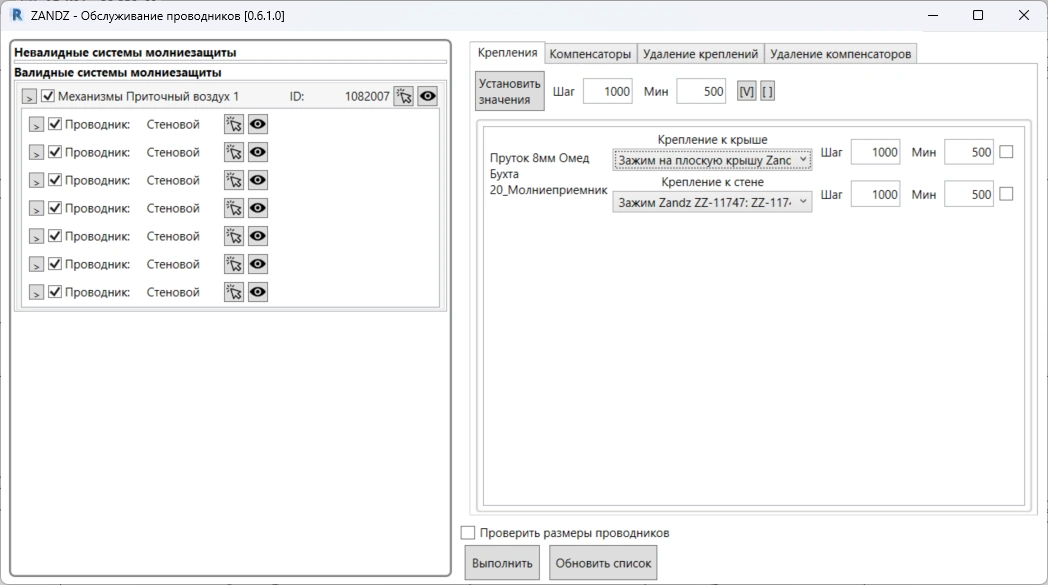
Пример окна работы с выбором и изменением типа и шага держателей проводников молниезащиты
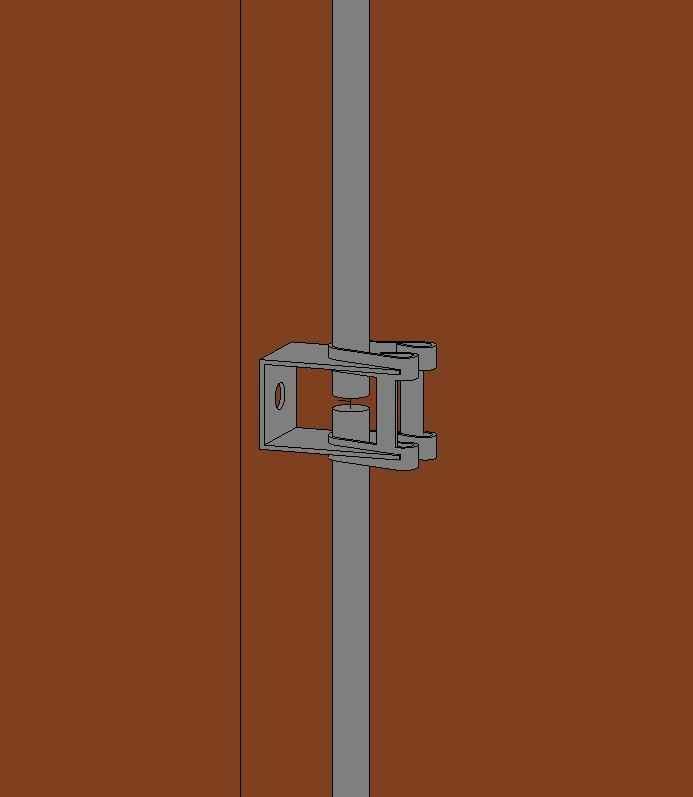
Автоматическое притягивание креплений к поверхностям размещения
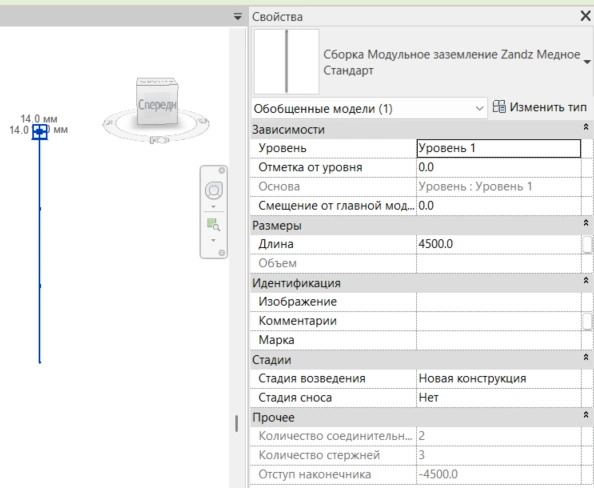
Автоматическая сборка модульного вертикального заземлителя исходя из заданной длины
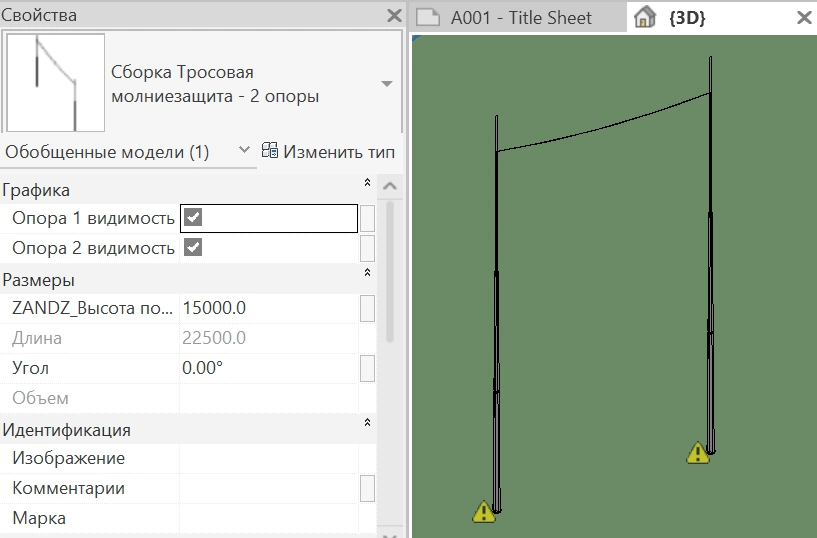
Автоматизированное проектирование тросовой молниезащиты
Часто задаваемые вопросы
Плагин поддерживает все актуальные версии Revit 2022-2025 года.
Да, инструмент «Настройка проекта» автоматически загрузит все нужные семейства и параметры.
Вместе с плагином можно скачать видео пример использования и текстовую инструкцию с описанием возможностей и работы плагина.
Мы всегда готовы помочь! Напишите нам через форму обратной связи или на bim@zandz.com.